

The General settings tab contains your store's basic information and regional preferences.
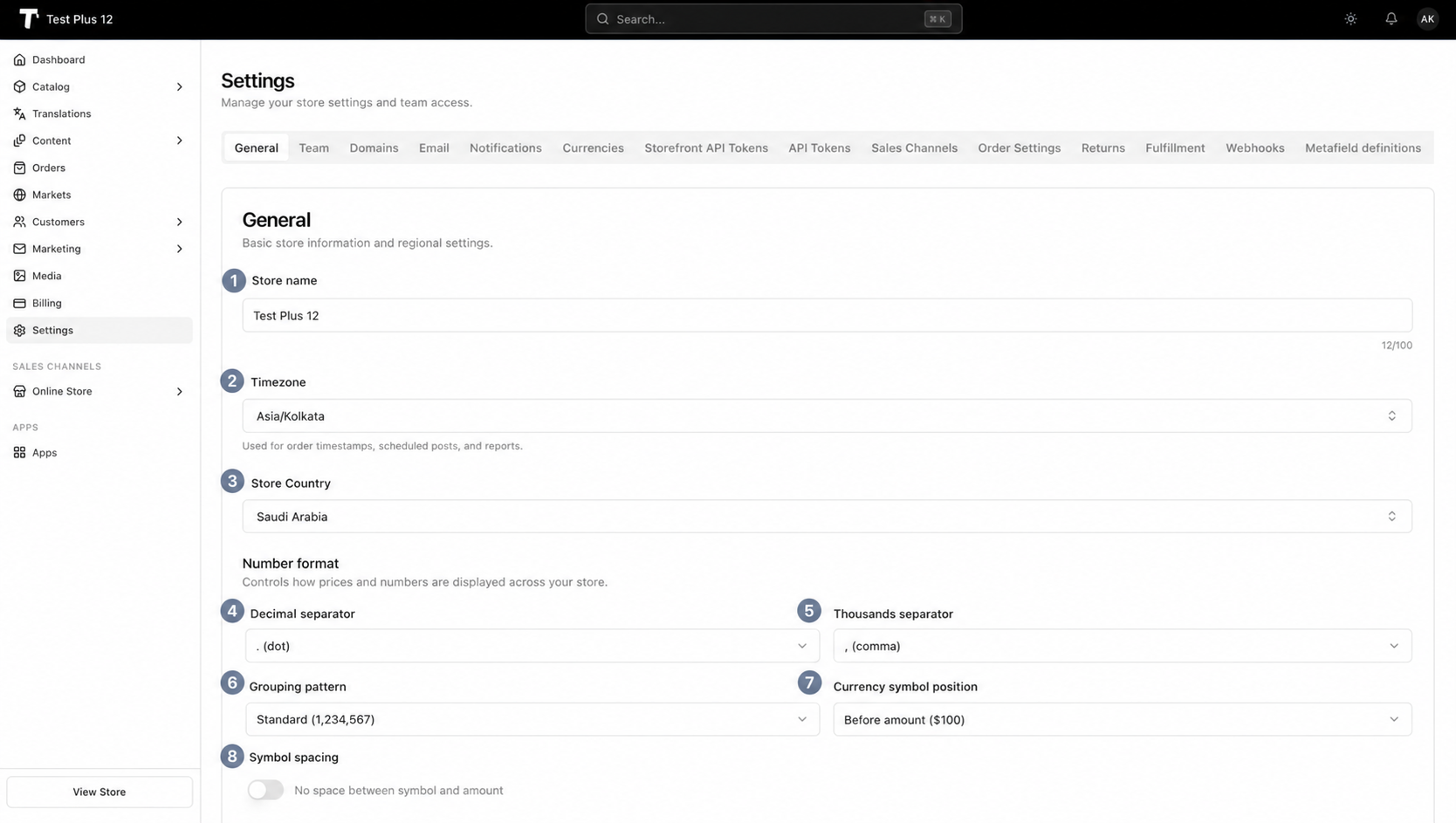
1. Store name#
Your store name appears in order confirmation emails, invoices, packing slips, and throughout your admin dashboard. It can be up to 100 characters.
2. Timezone#
Your timezone affects how dates and times display throughout Tringify:
- Order timestamps in the admin and order notifications
- Scheduled sale start and end times for products
- Discount code active periods
- Storefront maintenance mode and coming soon countdowns
- Reports and analytics date ranges
- Embedded app session timestamps
3. Store country#
Your store country is where your business is legally registered. This setting is used as the default origin for shipping rate calculations and tax configurations.
Number format#
Number format settings control how prices display across your entire store. These settings are used in:
- Product prices in your admin and storefront
- Cart totals, taxes, shipping costs, and duties
- Order summaries and invoices
- Discount display values
- Price inputs when creating orders or editing products
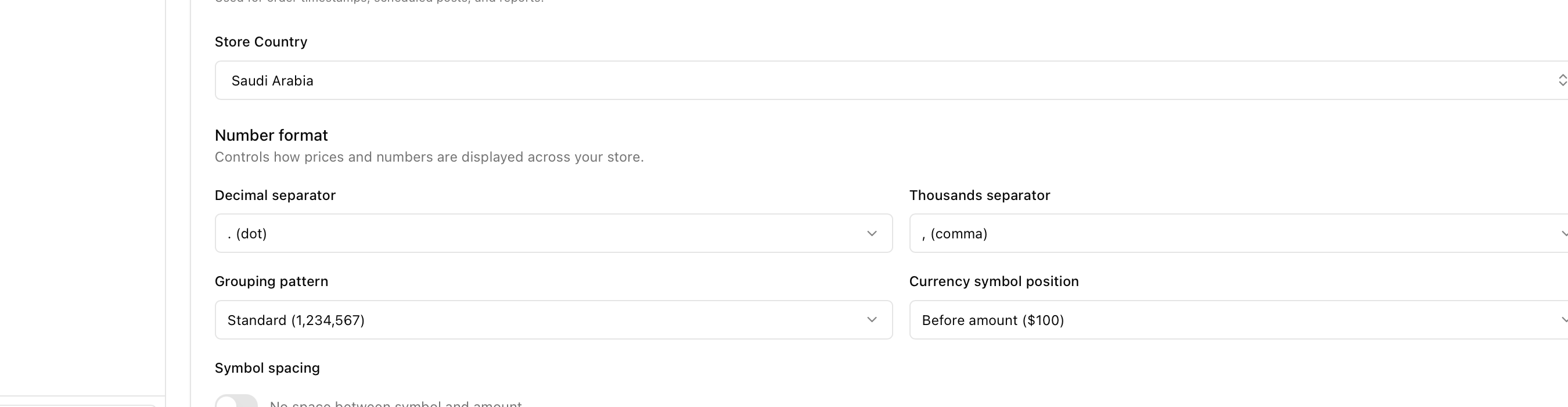
4. Decimal separator#
The character that separates whole numbers from cents. Most countries use a dot (10.99) but many European countries use a comma (10,99).
5. Thousands separator#
The character that groups large numbers for readability. Options include comma (1,234), dot (1.234), space (1 234), or none (1234).
6. Grouping pattern#
How digits are grouped in large numbers. Standard uses groups of three (1,234,567). Indian uses groups of two after the thousands place (12,34,567), which is common in India and South Asia.
7. Currency symbol position#
Whether the currency symbol appears before the amount ($100) or after (100$). This varies by country and currency convention.
8. Symbol spacing#
Whether there is a space between the currency symbol and the amount. For example, $100 (no space) versus $ 100 or 100 € (with space).